











KakaoTalk → printed book
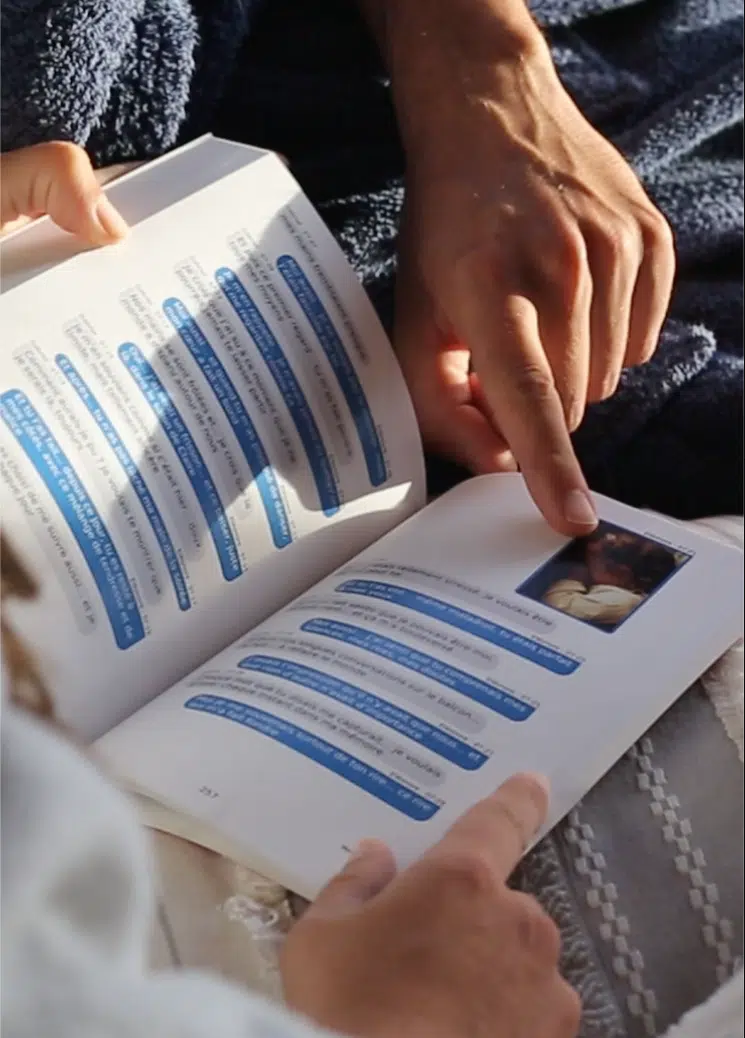
Print your KakaoTalk chats as a real book
Export a KakaoTalk chat from your phone and turn it into a printed book. Tutorials for iPhone and Android. No tech skills needed.
From 59.99 $
Free shipping Step-by-step KakaoTalk tutorial Printed in France
From KakaoTalk to paper
 KakaoTalk tutorial
Export your KakaoTalk messages
Four steps from your phone. KakaoTalk creates a text file, MonLivreSMS turns it into a book.
One chat per export. The "save everything" option also copies your photos, but KakaoTalk does not link them to the messages: choose text only and photos will appear as a simple word.
-
Open the chat
- On your iPhone, open KakaoTalk
- Go to the conversation you want in your book
-
Open the chat menu
- Tap the menu (☰) at the top right
- Tap the settings icon at the bottom of the panel
-
Export text only
- Tap Export chat history
- Choose Send text messages only
-
Drop the .txt on MonLivreSMS
- Save the .txt file (Files, email, AirDrop)
- Upload it to MonLivreSMS without editing it
One file = one chat. To combine several chats, upload them one after the other.
-
Open the chat
- On your phone, open KakaoTalk
- Go to the conversation you want in your book
-
Open the chat menu
- Tap the menu (☰) at the top right
- Tap the settings icon at the bottom of the panel
-
Export text only
- Tap Export chat history
- Choose Send text only
-
Drop the .txt on MonLivreSMS
- Save the .txt file (Files, Google Drive, email)
- Upload it to MonLivreSMS without editing it
One file = one chat. To combine several chats, upload them one after the other.
On a computer (Windows or Mac): open the conversation menu, then Save chat. The .txt file you get works here too.


A lifetime of messages
for the price of a book.
1 book needed
One book can hold up to 400 pages (around 6,000 messages).

Seen on French TV
Shark Tank-style pitch show
Seen on French TV
We went on French national television, on a Shark Tank-style show: you pitch a concept to investors, live. Ours was simple. Your chats, printed as a book you can hold. Anthony Bourbon talked about it on the set. He later joined us.
"Your messages are treasures the cloud can forget. Joachim anchors them in time. Paper never crashes: it's humanity's hard drive."
They trust us
100K+
Books printed
worldwide
worldwide
Create yours
Turn your messages into memories
10+ years
Craft and publishing
expertise
expertise
4.7/5
Average score from 1,000+ verified
reviews
reviews
Since 2014
Pioneers of printed chat
books
books
4.7
from 1,000+ reviews
Real reviews on Trustpilot
Frequently asked questions
The essentials before you create your book.
How do you export a KakaoTalk chat?
The steps are in the tutorial.
Are my messages private?
Yes, 100% private. Your chats are processed automatically to generate the book, without human reading.
What are the delivery times?
Digital PDF: usually available in under one hour. Printed book: shipped in 2 days, delivered in under 7 days. Free worldwide shipping.
Where are the books printed?
In southern France, in Lavaur (Tarn). Premium print quality, local craftsmanship, shipped worldwide.
How many messages fit in one book?
Up to 400 pages, around 6,000 messages with photos and media. Above that, several volumes: 25% off from the second, down to 40% off from 7.
Can I preview before printing?
Yes. You can preview your book before you order, to make sure everything looks right.
Any hidden fees?
No. The displayed price includes layout, printing and free worldwide shipping.
Ready to print your KakaoTalk messages?
Create my KakaoTalk bookFree shipping · Digital PDF included