
Create a book from Whatsapp
A one-of-a-kind gift, from you: no one else could give this.
Your messages stay private: only the conversation you choose is used.It all starts on your phone. Are you on iPhone or Android?
Export your WhatsApp conversation
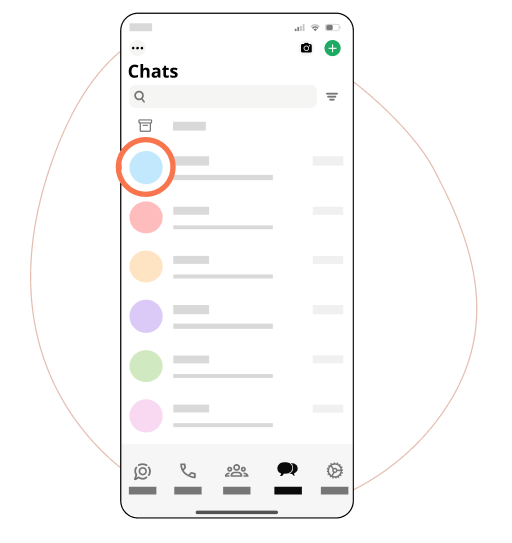
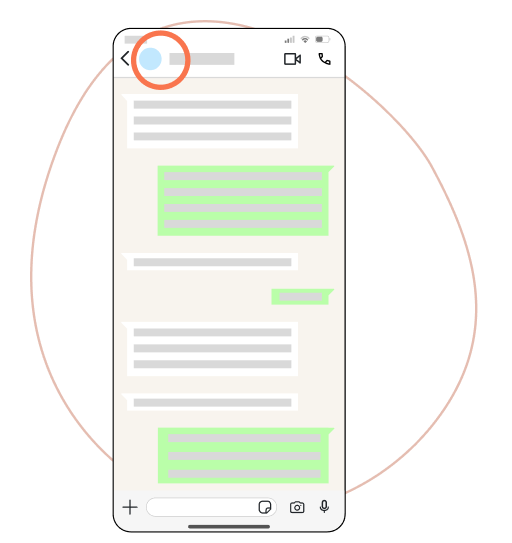
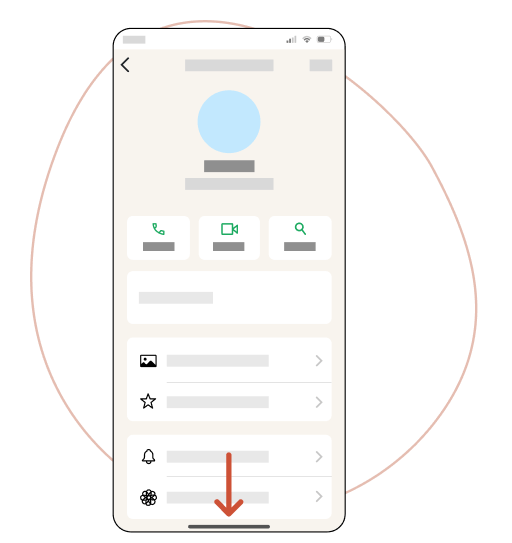
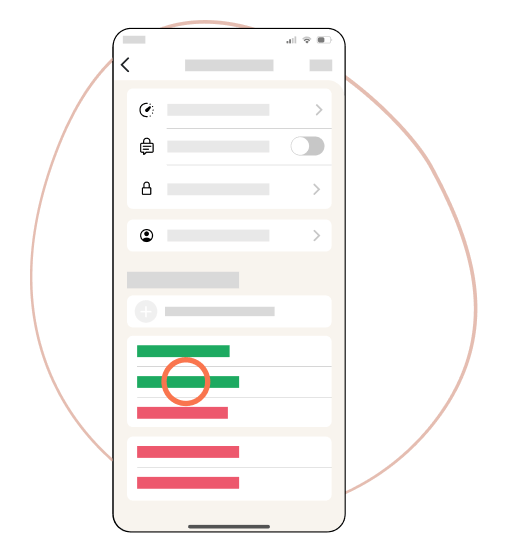
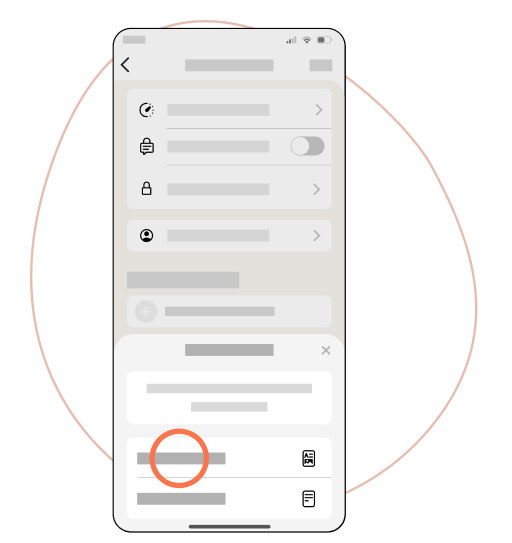
Open the conversation, tap the name at the top, then Export Chat.
Choose Attach Media for photos in the book (or Without Media for text only).
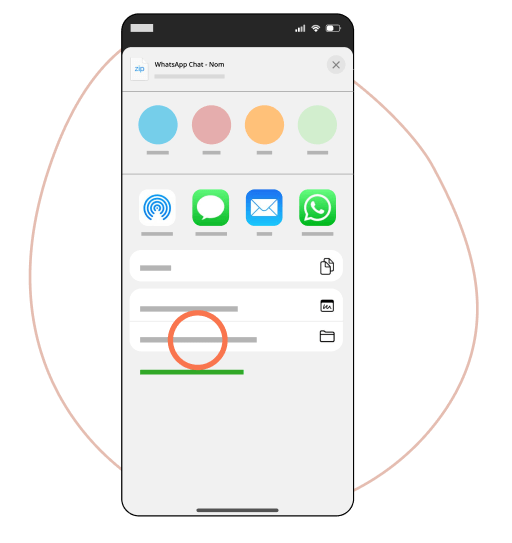
Save to Files, then add the .zip below: don't unzip it.
WhatsApp export on iPhone: detailed guide
Follow each step on your iPhone with the screenshots below, then transfer the file to your computer or phone before dropping it here.
Export your WhatsApp conversation on Android
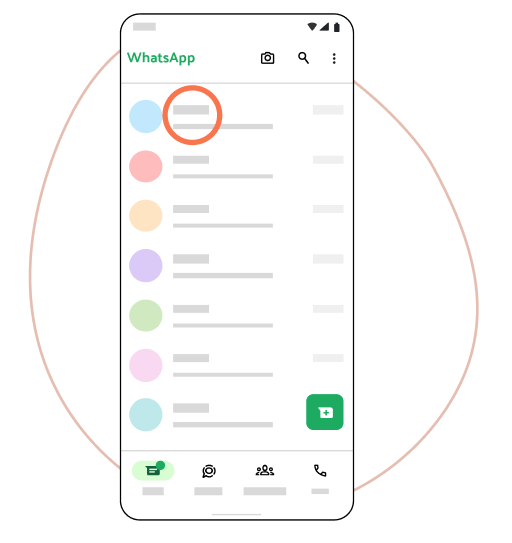
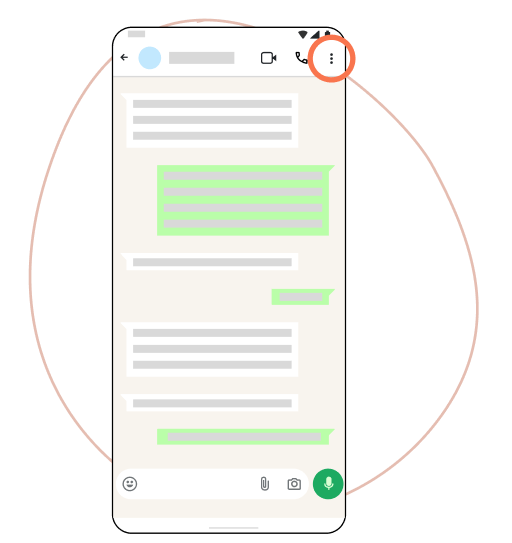
Open the chat, tap ⋮ → More → Export chat.
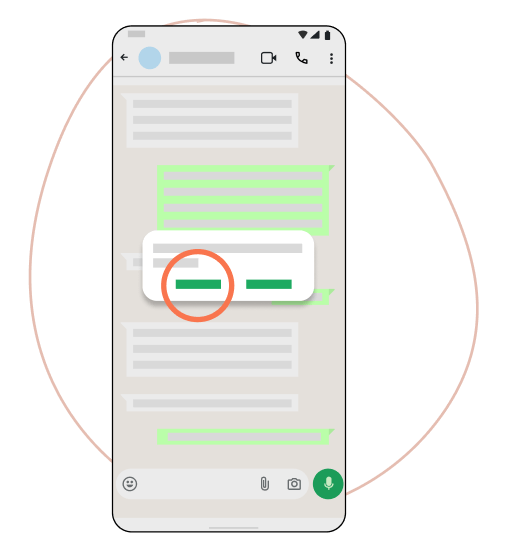
Choose Include media for photos in the book (or Without media for text only).
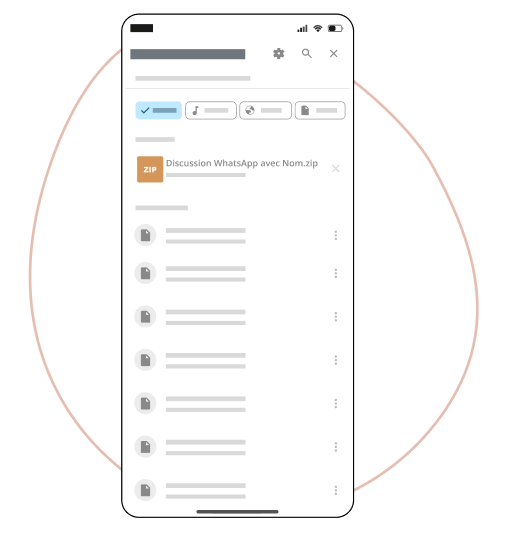
Save or share the file, then add the .zip below: don't unzip it.
WhatsApp export on Android: detailed guide
Follow each step on your Android with the screenshots below, then transfer the file to your computer or phone before dropping it here.