How to export / download your LinkedIn messages
Want to back up or download your LinkedIn messages? Follow this step-by-step guide: official browser export, then import into MonLivreSMS.
LinkedIn keeps your professional and personal messages. Here is how to download your chat history via the official export, then import it into MonLivreSMS.
1. Open LinkedIn in a browser
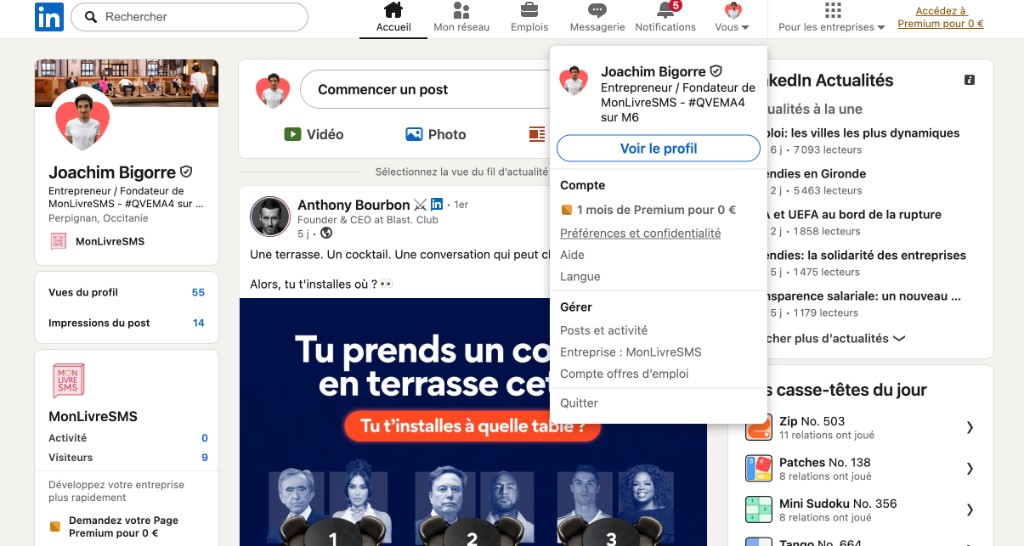
Export is not available in the mobile app. Use a browser, ideally on a computer.
Click Me → Settings & Privacy.
2. Open “Get a copy of your data”
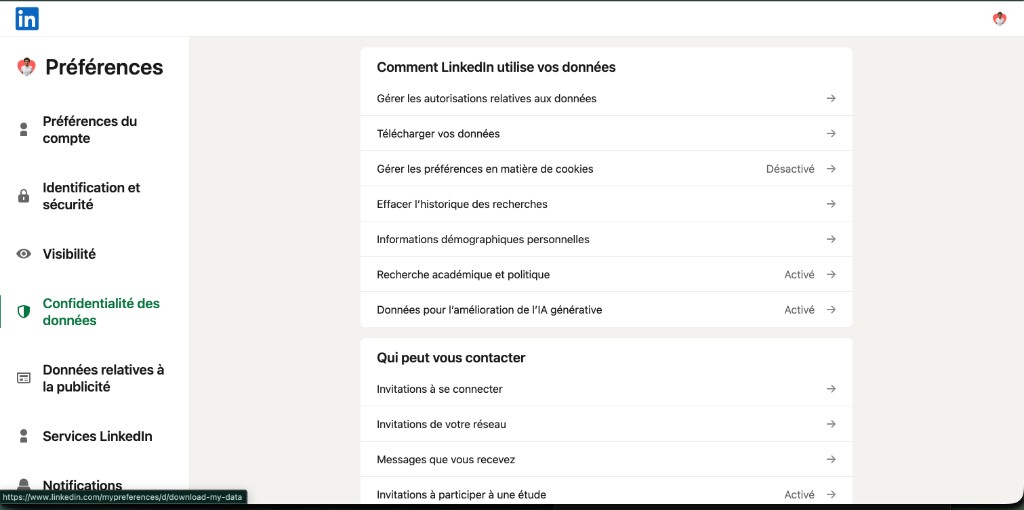
Under Data privacy, open Get a copy of your data. Direct link: linkedin.com/mypreferences/d/download-my-data.
3. Request an archive that includes Messages
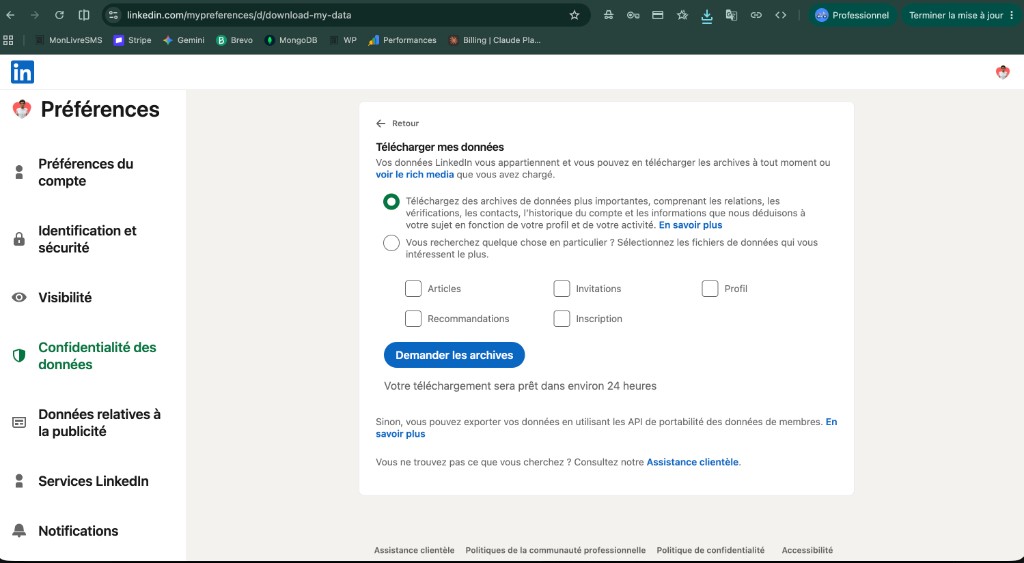
Select the files you need (tick at least Messages) or request a larger archive, then click Request archive.
Wait for the LinkedIn email (10 min to 24 h), download the .zip, and add it on MonLivreSMS without unzipping it.
Full illustrated tutorial: print LinkedIn messages into a book.
Frequently asked questions (FAQ)
Can I export LinkedIn messages from the mobile app?
No. The official export only works in a web browser (computer recommended). Open the Download your data page, or go to Me → Settings & Privacy → Data privacy.
How long does LinkedIn take to prepare the archive?
Usually between 10 minutes and about 24 hours. LinkedIn emails you the download link when it is ready.
Should I unzip the file before importing to MonLivreSMS?
No. Drop the .zip as-is on MonLivreSMS. The archive must contain messages.csv. You pick the conversation after upload.
Does LinkedIn export photos and attachments?
No. LinkedIn Messages export is text only. The book includes the text of your conversations.
Print your texts like a publisher would
Screenshots, copy-paste into Word, dozens of unreadable pages. There is a better way: turn your SMS into a clean, paginated document that lasts.
MonLivreSMS extracts iPhone or Android messages, lays them out automatically, and delivers a certified PDF or a printed book made in France.
-
01
Gather your memories
WhatsApp, SMS, Messenger… your chats come together. Private, yours only.
-
02
Make it yours
Colors, dates, words: it's your story, your way.
-
03
It comes to you
Your book ships anywhere in the world. And you already have it as a PDF.
From SMS to a book that matters
The simplest way to keep your messages
Your words, your dates, your shared photos. Everything that should not stay trapped in a phone.
Start my SMS book