
Is it safe to upload a chat export?
A chat export is not a blurry photo. It is names, numbers, dates, sometimes pictures and voice notes.
Uploading it deserves a plain question: who reads it, who keeps it, and can you delete it.
The file leaves the phone because the layout is built from it. The useful question after that is who reads it, how long it stays, and how you delete it.
What an export actually holds
The text carries names as the app knows them, times, sometimes a phone number in a WhatsApp header. Photos from the thread, if you included them, are separate files in the ZIP. A voice note is an audio file, not a line of text.
The names
As the app wrote them, not a nickname you add later.
The times
They come from the file. Typing them by hand makes them less steady.
The photos
In the zip if you included them. A voice note is a file, not a line of text.
It is not anonymous. Even without saying so, the file shows who talks to whom, and when. That is why the WhatsApp, Instagram and text guides matter: know what you are holding before you send it.
Open the file once before you send it. You will see names, times, sometimes a number in the header. That material leaves, not a blurry picture.
What an unknown converter can do
A free site that asks for an upload can keep a copy, store it longer than promised, or use it for something other than your PDF. « We keep nothing » is not always something you can check. Look for a clear page on deletion, and for an account you can delete from.
Walk away from a tool that wants your app password. An export is a file you already have. It is not a login to WhatsApp or Instagram.
"We keep nothing" is not something you can check on a homepage. Look for a sentence about deletion, and a place in the account where the file actually disappears.
Before you upload
At MonLivreSMS the file is for the book
You import the export so the pages can be laid out. Processing is automatic. Nobody reads the chat to sell it or use it for something else. The detail is on the questions page, under privacy.
The book is not put online. You can delete the project and the file from your account. The PDF and the paper remain what you already downloaded or received. We do not claim the file never leaves your phone. It is sent so the book can be made. That is the deal, said plainly.
The processing builds the layout. It is not a reading for some other use. When the project is no longer useful, you delete it from the account, along with the file you uploaded.
What stays with you
The PDF you downloaded, and the book if you received it. The file on the account can go when you decide.
After the upload
You come back to the preview. The names are right, the dates follow, the photos sit where they belong or they are absent if you did not include them. That is when you see whether the chapter holds.
The preview
You read a few pages before you print.
The account
The project is deleted from your space, with the file.
The paper
It is not online. It goes to the people you give it to.
The practical steps for WhatsApp, Instagram or Telegram stay in their guides. Here, the point was to know what you are holding before you let it go.
From the bubble to the book
Once the file is in your account, you open the chat. You search for a line. The book is not published.
Search
A word or a first name. The bubble comes back.
The time
The date and time from the app, on the message.
The book
The preview first. The printed object next, with the PDF.
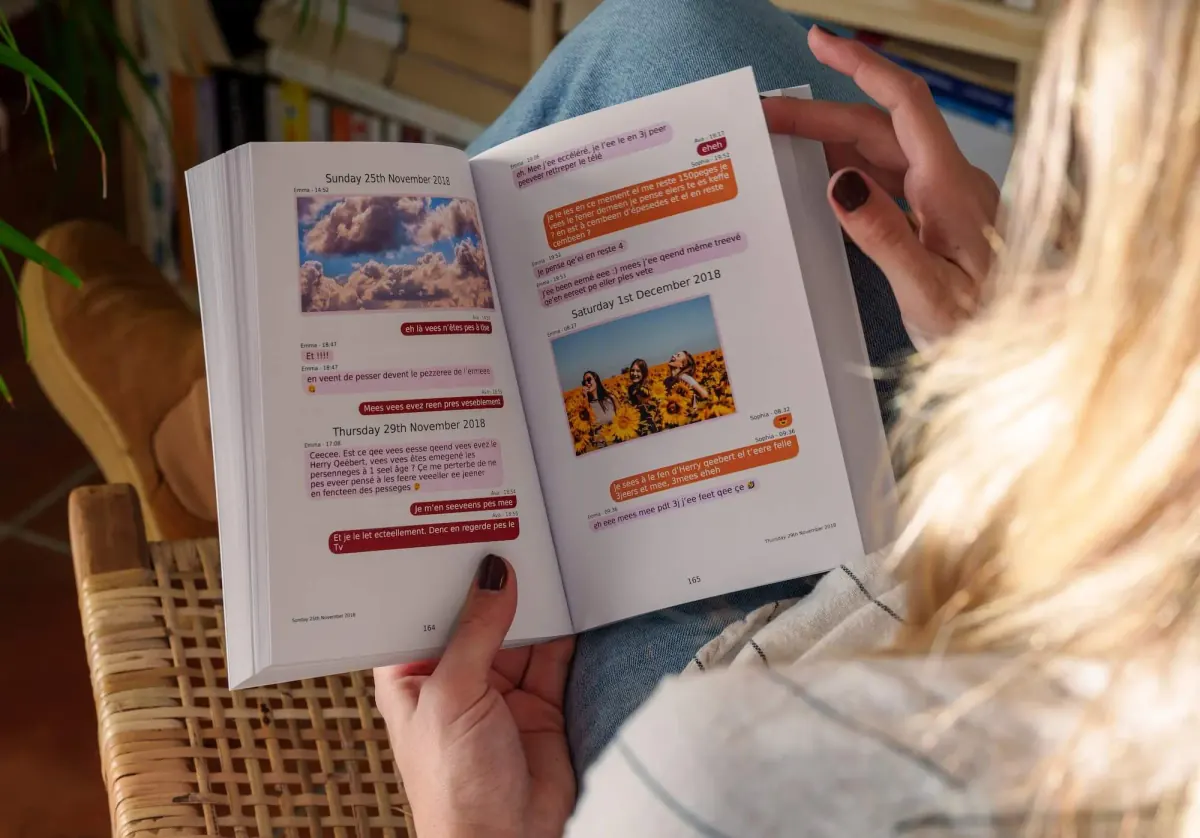
In the app, a word or a first name is enough to find the bubble. Every message keeps the date and time from the chat. You choose where the book starts and where it stops, you leave out what does not belong, then you flip through the preview. Photos stay on the page. A voice note or a video opens from the QR code. The PDF comes with the book.
Common questions
Does MonLivreSMS read my messages?
Automated systems lay out the book. Nobody reads the chat for anything else. We do not sell it.
Is the book online?
No. It is not published or indexed. The PDF and the paper go to the people you give them to.
Can I delete the file?
Yes. From your account you can delete the project and the file that came with it.
Do you have to give the app password?
No. You send a file you already exported. A site that asks for your WhatsApp, Instagram or iMessage password does not need it to read an export.
Don't lose your digital memories
Closed accounts, new phones. Your conversations deserve better than the digital trash.
MonLivreSMS imports your SMS or WhatsApp exports and lays them out as a book or PDF. Free preview before printing.
-
01
Gather your memories
WhatsApp, SMS, Messenger… your chats come together. Private, yours only.
-
02
Make it yours
Colors, dates, words: it's your story, your way.
-
03
It comes to you
Your book ships anywhere in the world. And you already have it as a PDF.
From export to a book you can hold
Save before you delete
Your messages and photos kept in a lasting format.
Create my book